Living Paycheck to Paycheck? See Tight Days Before They Hit
How to stop living paycheck to paycheck often starts with timing. Line up your bills against your paydays and see which days get tight before you reach them.
 Joy Casfhir·6 min read·Published Oct 8, 2026·Updated Oct 9, 2026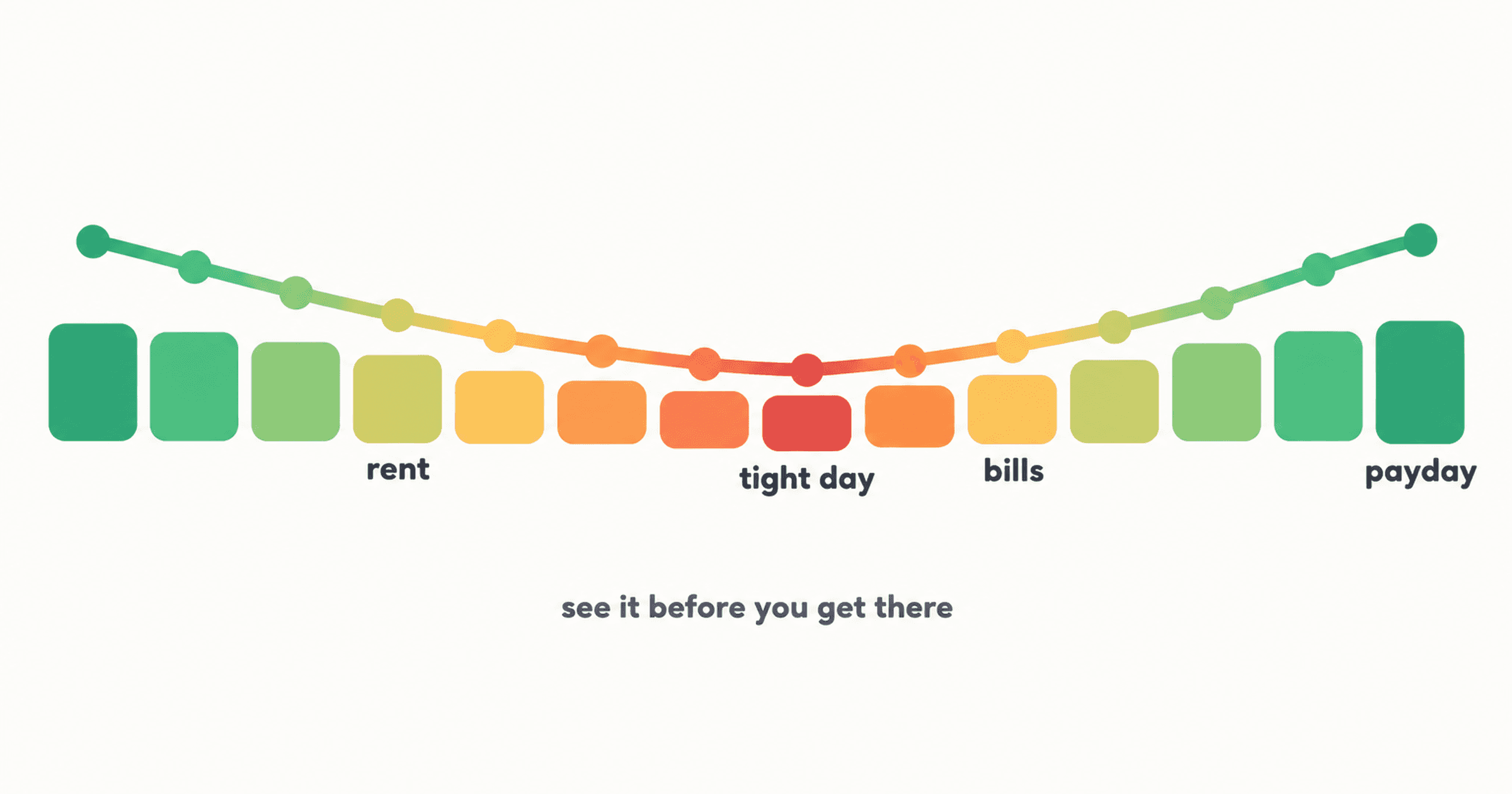
The thing that actually changed how I felt about money wasn't the tracking. It was a spreadsheet I built to see, day by day, how much I'd have until my next payday, so I knew when things would be tight and when I could breathe.
I'd "perfected" a budgeting flow in Google Sheets by then. One sheet listed every expense I expected for the whole year, each with its date. Most of them repeat, but even the one-off ones went in with a date as long as I knew when they were coming. Another listed every income I expected and the date it would land. And then there were two calendars with a running balance on them. The first showed the balance if I followed the budget to the tee. The second showed it with what I'd actually received and spent. So at a glance I could check the future and see at what point I'd be short on money, and when I could finally breathe.
I'd been tracking every transaction for years before that, by the way (thousands of them). All of it was a record of what had already happened, so none of it could tell me what next week was gonna look like.
Why it can feel like paycheck to paycheck even when the math works
I can't speak to everyone's situation. Sometimes there just isn't enough coming in, and no spreadsheet fixes that. But a lot of the time the problem is less about the total and more about the timing.
Bills land on days. Rent on one date, the phone bill on another, insurance whenever it renews. Pay lands on other days, and if you're paid every week or every two weeks, those days don't line up with the calendar month at all. So you can add up a month of income and a month of bills, see that it works, and still have a stretch of four or five days where the account runs thin because three bills came out before the next paycheck arrived.
That stretch is where it starts to feel like paycheck to paycheck. You check your balance, it looks okay, and then it isn't okay three days later. The monthly budget wasn't wrong, it just averaged that week away so it never showed up.
This is also why a monthly budget can feel so off when you're paid every two weeks. I wrote more about that mismatch in why monthly budgeting fails when you're paid weekly or biweekly.
How to see the tight days yourself
If you want to know how to stop living paycheck to paycheck, start by seeing which days get tight. You don't need an app for this part. My first version was literally a spreadsheet.
Start with what's in your account today. Then write down every payday between now and the end of your next pay cycle, and every bill that comes out in that window, each one on its actual date. Not the monthly total for rent, the day rent leaves your account.
Now go day by day. Add pay on the days it lands, subtract bills on the days they come out, and carry the balance forward. Leave a little room for the everyday stuff (groceries, gas, coffee) so the numbers aren't pretending you'll spend nothing on those days.
What you end up with is basically a bill calendar with a running balance for each day until payday. And somewhere in there is a lowest day. Sometimes it's the day before payday, which is what most people expect. But a lot of the time it's earlier, like the day after a big bill clears, with a whole week still to go.
That lowest day is the one worth knowing about, ideally a week before you get there rather than at the checkout.
What to do once you can see them
Once the tight day is on the page, you actually have options, which you don't really have when you find out at the last minute.
You can move a bill. A lot of billers will let you change your due date if you ask, and shifting one payment to the day after payday can flatten the whole dip. You can set some money aside from the paycheck before the tight stretch, so it's already sitting there when the bills land. Or you can see that the flexible spending in that window (eating out, a shopping trip, whatever it is for you) needs to wait until after the next payday.
None of that needs a big overhaul. It's mostly about seeing the dip early enough to do something about it.
If the tight days keep coming from the same place, like there's no buffer at all for anything unexpected, that's usually a sign of something more structural. The Know Your Digits quiz walks through which of those gaps you might have and which one to deal with first.
Budgeting by paycheck instead of by month
The calendar only really works if your budget runs on the same rhythm as your pay. Mine did. My sheet had a clear start and end for every pay cycle, and I could flip between this cycle, last cycle, and the next few. That was the part I couldn't get out of the tracking app I was using, which only compared spending against categories with no idea when a cycle started or ended.
Budgeting by paycheck means each paycheck has its own plan: which bills fall before the next payday, what's left after those, and what that leftover needs to cover. If you're paid biweekly, some months have three paychecks instead of two, and a pay-cycle budget handles that without you having to rebuild anything.
If you want the full walkthrough of setting this up, the beginner's guide to pay-cycle budgeting covers it step by step, including bills that are monthly when your pay isn't.
Making money last until payday
When it's already tight and payday is still a few days out, the running balance turns into a really practical question: how much can I actually spend between now and then?
Take what's in the account, subtract every bill that's still coming out before payday, and what's left is what the rest of the cycle has to run on. Divide that by the days left and you've got a rough daily number. It's not exact (life isn't), but it's a lot more useful than looking at your balance and guessing, because your balance doesn't know about the bills that haven't come out yet.
The version I ended up building
The catch with the spreadsheet was that I had to map out the whole year by hand, and the calendars were only as good as how current I kept them. That kind of upkeep is a big part of why so many people quit budgeting around week three.
In YourDigits you schedule a recurring transaction once and it replays automatically, instead of mapping out every date for the year. The forecast is called the Payday Forecast in the app. You add your starting balance, your payday schedule, and your recurring income and bills once. From there it shows a projected balance for each day until your next payday, with the tight days visible before you reach them. Weekly, biweekly, semimonthly, monthly, or a custom cycle all work.
It isn't connected to your bank, so it's a projection based on your plan, not a live bank balance, and it can't predict a purchase you haven't planned. Your recurring income and bills carry into future cycles, so you're not rebuilding it every time, and marking things paid or unpaid keeps it current as the cycle goes.
Your current pay-cycle forecast is included in the free plan. Looking ahead at the next four cycles, or back at past ones, is part of Premium.
If you'd rather keep it in a spreadsheet, that's honestly fine. That's how I did it for a while. If you'd like to see it without building one, YourDigits is on the App Store.

Joy Casfhir
Accountant turned app builder. Tracked 4,600+ transactions by hand over 5 years. Had all the data but no system for knowing what to fix first. That experience became the Leak Ladder: your money has leaks you can't see, and there's an order to fixing them. Built YourDigits to find those leaks and tell you what to fix first.
@casfhirCurious which leaks you have?
The Know Your Digits quiz takes 3 minutes and shows you which of the 9 leaks are yours, in priority order.
Find my leaks